Tutorial 1 of 7
Your first batch in 5 minutes
Beginner 5 min
Add a few files, pick a ready-made recipe, run it on the whole selection and download the results as a ZIP. Nothing to install, no account.
Reelcraft is a workspace for batch jobs on your media files. It does not invent its own converters: every step of a recipe is one of the usefulweb media tools (Video Compressor, Audio Loudness Normalizer, Background Remover and 17 more). Reelcraft chains them, runs them over many files, keeps the results in a library and tells you whether they meet your delivery specs.
1. Open a template
Click Launch Reelcraft, then File → Templates…. Choose Send a video by e-mail or chat and click Open template. The template brings two recipes and a delivery check, but no media — your files stay yours.
2. Add files
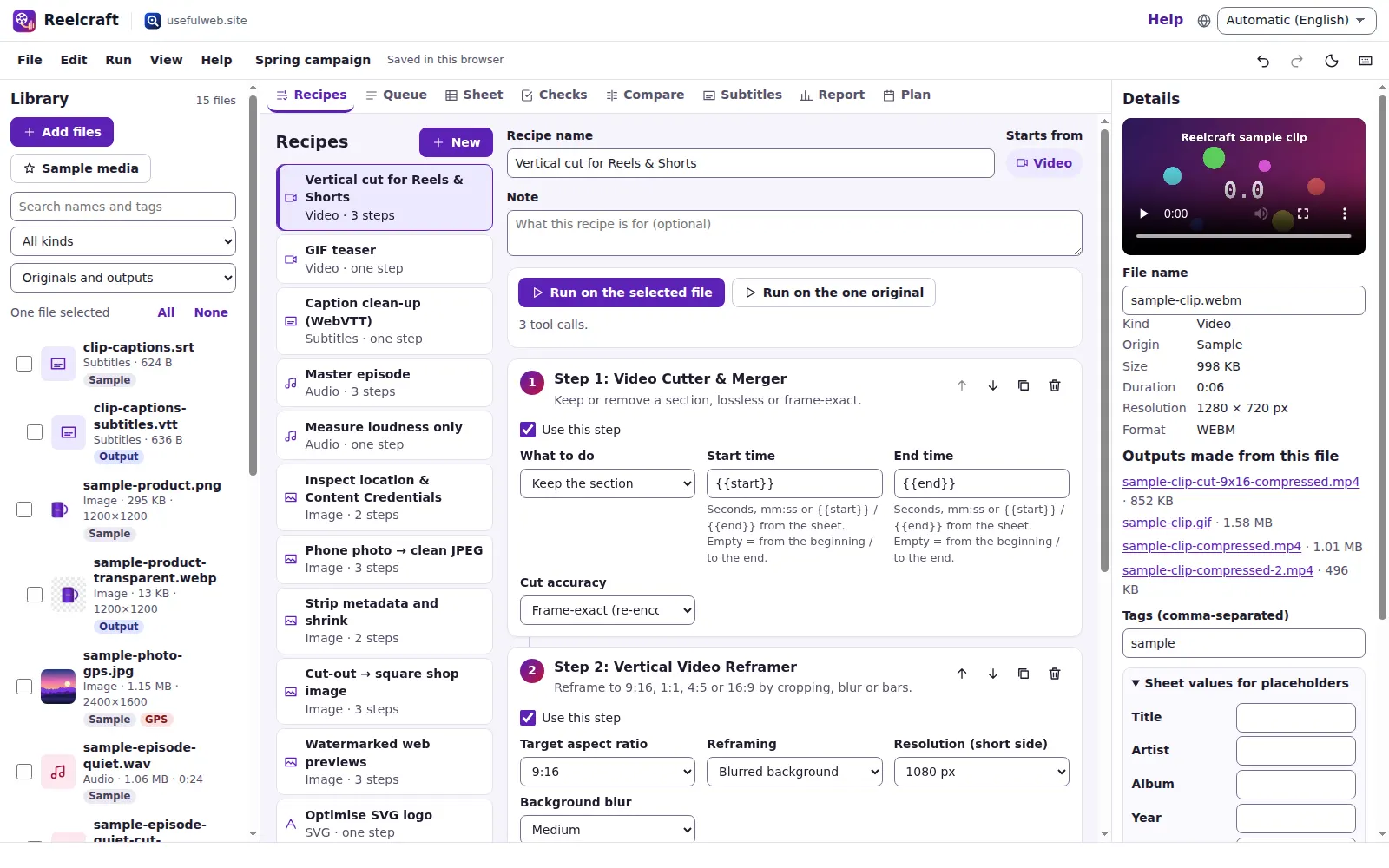
Drag video files onto the window or click Add files in the library on the left. No video at hand? Click Sample media: Reelcraft generates a short synthetic clip, two speech-like recordings, a product shot and a photo with a made-up GPS position, all labelled Sample.
Each file shows a thumbnail, its size and duration. Click a file to see its details in the inspector on the right.
3. Run a recipe
Tick the files you want to process (or click All above the list). In the Recipes view choose Quality CRF 28, 720p and press Run on the selected file (the label counts your selection).
Reelcraft switches to the Queue. Every file goes through every step of the recipe, one call to the media tools at a time. The status bar and the progress line show which file and step is running.
4. Look at the results
Outputs appear in the library, indented under the file they were made from, with an Output badge. The inspector lists Outputs made from this file and the queue shows the size change per file, for example 1.1 MB → 589 KB.
5. Download
Press ZIP of the outputs on the run, or File → Download outputs as ZIP for all outputs. The ZIP is built in your browser and stores the files as they are (media is already compressed).
Where is my work?
Your project — library, recipes, runs, checks and plan — is saved automatically in this browser (IndexedDB). The media files are stored next to it on your device, not in the project file. File → Recent projects… brings older projects back.
Ready to try it?